maybe tomorrow ill open the door Room interact checklist
Pan the camera, tick the prop, do not mash the handle by accident.
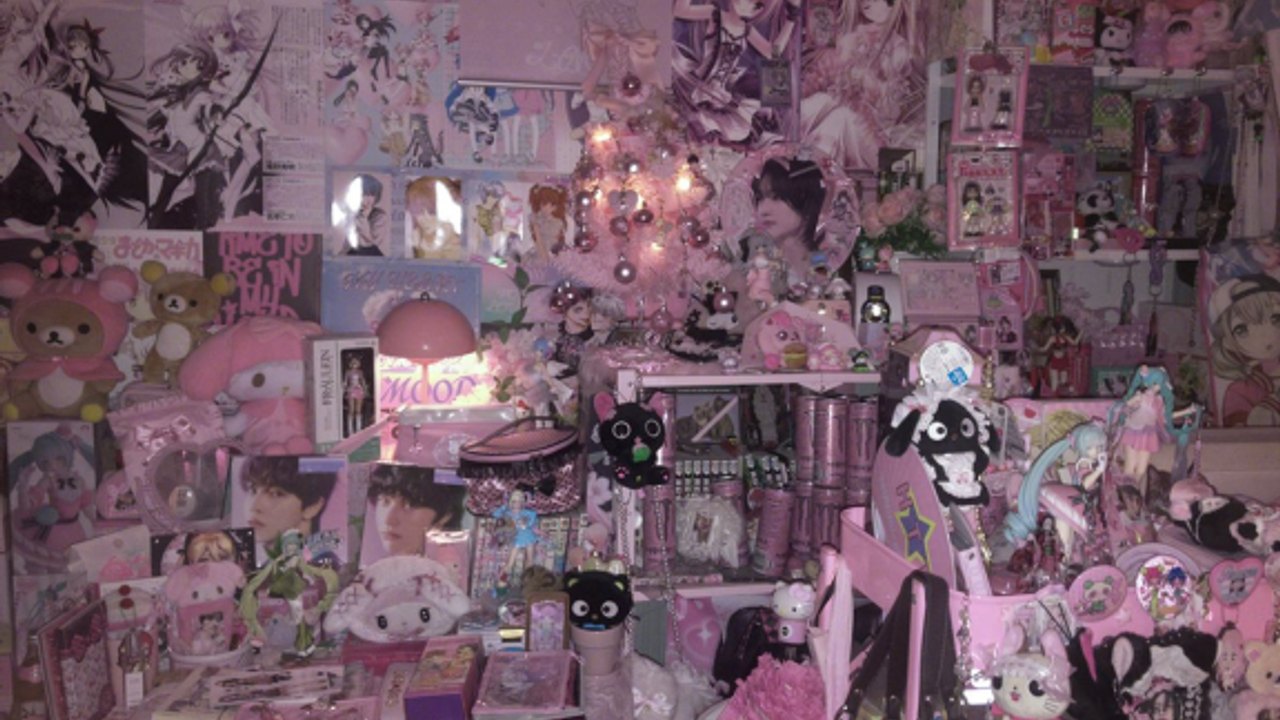
This list is for when the pink clutter hides a click. Grouped by room. Pair with items for why a prop matters and with the badge checklist for trophies.
Bedroom
| Prop | Tick | Notes |
|---|---|---|
| Chips | ☐ | Dentist badge. |
| NEEDOH | ☐ | Shelf fidget. |
| Bunny | ☐ | Click once. |
| Photo | ☐ | Framed, not wallpaper. |
| Ice cream | ☐ | If present. |
| Computer chair sit | ☐ | Required. |
| Desktop minigames finished | ☐ | Do not unsit early. |
| Gaming table / extra page | ☐ | Shorts mention it. Click table props. |
| Bed after tired prompt | ☐ | Not an early nap. |
| Front door (optional) | ☐ | Only for the warning badge. |
Layout: bedroom. Sit help: controls.
Kitchen
| Prop | Tick | Notes |
|---|---|---|
| Fridge opened | ☐ | Not the front door. |
| Mayonnaise taken | ☐ | Quote badge. Lower volume. |
| Noodles eaten | ☐ | Home made. |
Layout: kitchen.
Parents’ room
| Prop | Tick | Notes |
|---|---|---|
| Entered room | ☐ | After bedroom loops if the door is shy. |
| Phone answered | ☐ | Hello? Not a code box. |
Layout: parents’ room. Codes: none, see codes.
Dream
| Prop | Tick | Notes |
|---|---|---|
| Black screen waited out | ☐ | Do not reset. |
| Open dream door walked through | ☐ | Story opening. |
| Living room looked at | ☐ | No extra published ending list. |
Guide: dream sequence.
Rules for using this sheet
Do not tick front door because you were bored. That is how jumpscares happen. Do not tick sit because you clicked the monitor. Do not tick bed because you bounced on the mattress. The walkthrough is the narrative version of this table.
If a prop is missing after the Big Update, check changelog before assuming your copy is broken. The experience is released and single-player; you are not waiting on a friend to load the fridge.
Camera passes instead of wandering
Do one low pass for floor snacks, one high pass for shelves, one pass aimed at the computer chair, and one pass that only looks for doorways that are not the front handle. That four-pass loop beats walking in circles in pink clutter. Controls explains sit; this sheet tells you what the camera should be hunting.
False ticks on props
Do not tick chips because you walked over the bag. The eat animation has to finish. Do not tick NEEDOH because you selected a poster. Do not tick sit because you clicked the monitor while standing. Do not tick bed because you bounced. Do not tick fridge because you clicked the front handle. Do not tick phone because you typed a guess into chat. Each of those mistakes has a matching trophy miss on the badge checklist.
Optional handle last
The front-door row is optional and last on a story run. Tick it only on a rejoin when you want I TOLD YOU NOT TO.. Mixing it into the snack pass is how first runs become jumpscare clips. Sleep and the dream door are a different row on this same sheet.
Using both tools together
This page is geography. The badge table is trophies. A prop can be ticked here without a unique badge name (bunny, photo, ice cream, gaming table). A badge can be ticked there without a new prop (GGs, Passing the time, Donor). Fill both. When they disagree, trust Roblox inventory, then re-read items.
The experience is released and single-player; you are not waiting on anyone else to load the fridge. When both checklists are complete, close the wiki and leave the real door for tomorrow.
Frequently Asked Questions
Quick answers pulled from the same bedroom this wiki maps.
What if I cannot find a prop?
Change camera height. Pink posters eat outlines. Bedroom has camera tips.
Should I tick the front door on a story run?
No. Leave it for a trophy rejoin. How to open the door.
Is the gaming table required?
Shorts mention it. Click it so you do not miss a Big Update extra. Not a separate published badge name.
Should I tick a prop I walked past?
No. Tick only after the interact animation or sit prompt actually completes.
Why is Passing the time not on this sheet?
It is playtime, not a prop. Track it on the badge checklist.